Updated Vishwas Sharma Product 5 min read
What Is AspectShift-HtoV? How It Works and Who It's For
A simple introduction to AspectShift-HtoV, a horizontal to vertical video repurposing toolkit for turning landscape footage into Shorts, Reels, TikToks, and other platform-ready videos.
Introduction
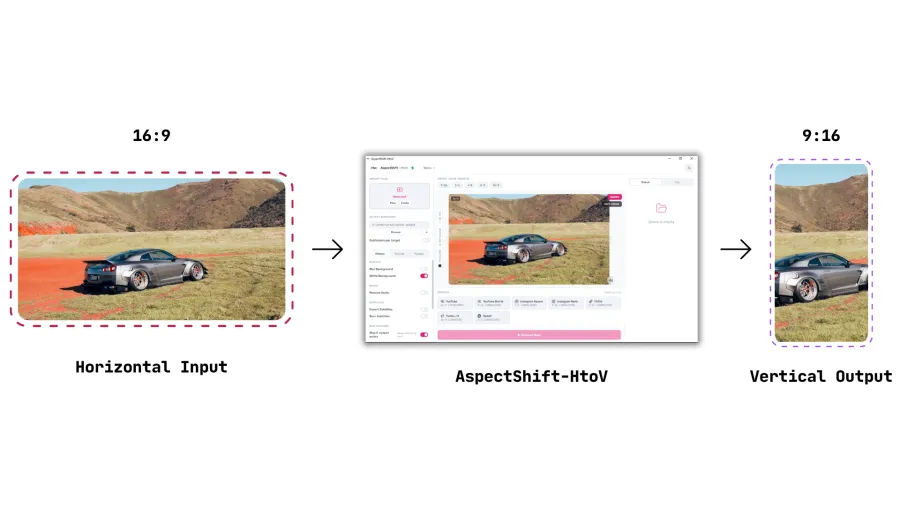
Creators often start with horizontal footage, but platforms such as YouTube Shorts, TikTok, and Instagram Reels need vertical or platform-ready formats. A full video editor can handle the job, but it can feel overly complicated when all you want to do is convert landscape video to portrait without repeating the same manual setup for every clip.
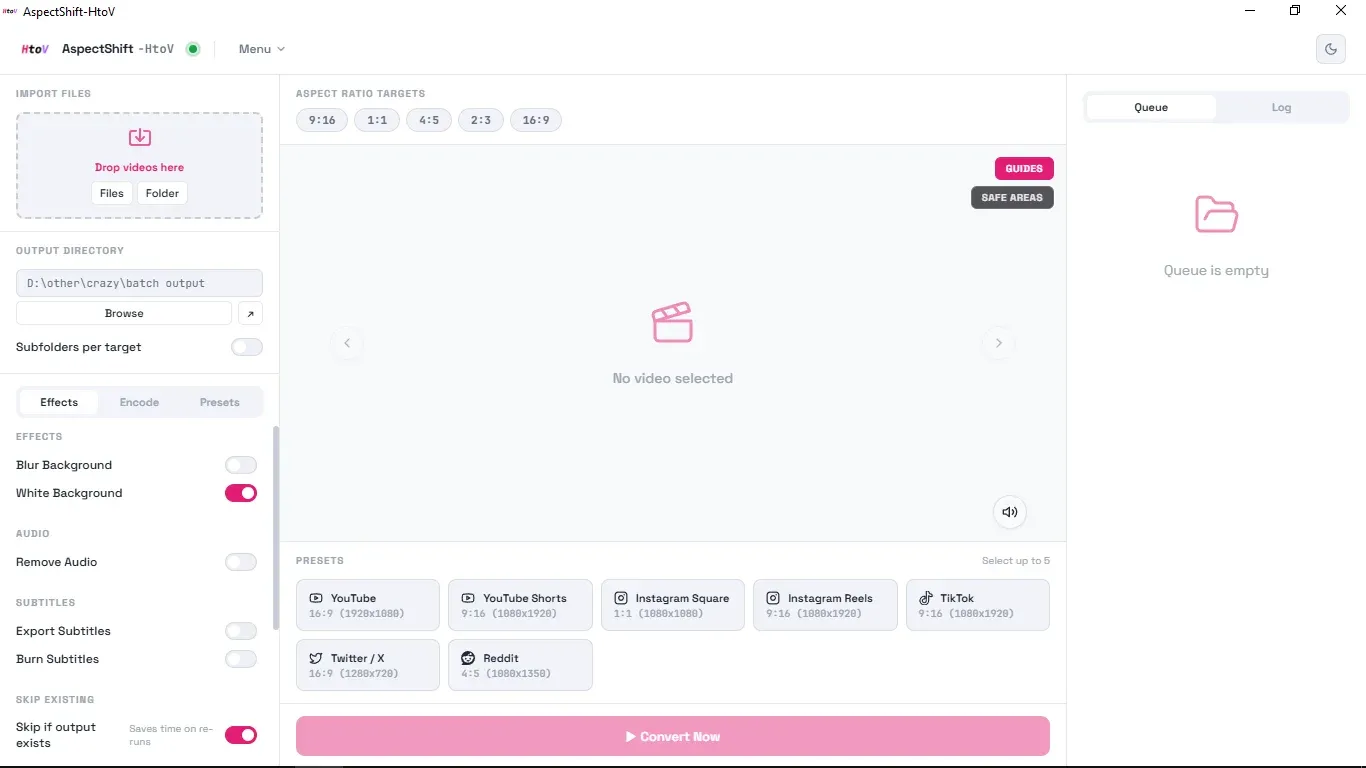
AspectShift-HtoV is a desktop horizontal to vertical video converter built for that simpler workflow. Import one video, a group of videos, or a folder; choose a platform preset or custom aspect ratio; and prepare the files individually or through batch video conversion. You can learn more on the AspectShift-HtoV homepage.
AspectShift-HtoV converting horizontal video to vertical
What Is AspectShift-HtoV?
AspectShift-HtoV is a desktop video aspect ratio converter for reframing and preparing videos for different formats and social platforms. It is designed for casual creators and anyone who needs practical conversion tools without the extra complexity of a full editor.
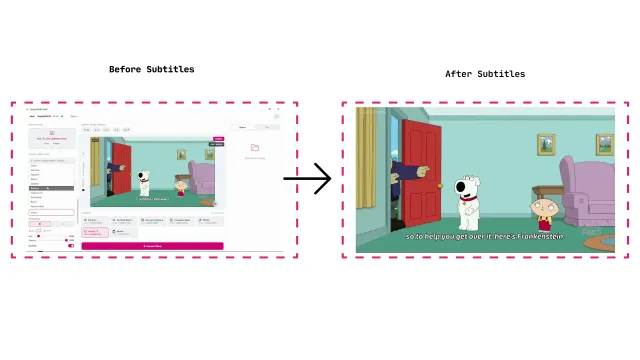
Along with changing a video’s format, it can generate subtitles, customize their font style, color, transparency, and size, and export them with your videos. You can also add a logo, create text overlays with the same styling controls, apply simple background effects, and create platform-ready outputs in one workflow.
Why I Built It
The idea started when I was sharing gameplay clips on social media. I was tired of opening Adobe Premiere Pro and setting up the same template again and again just to reframe a clip. It worked, but for this particular job it felt heavy, tedious, and slow.
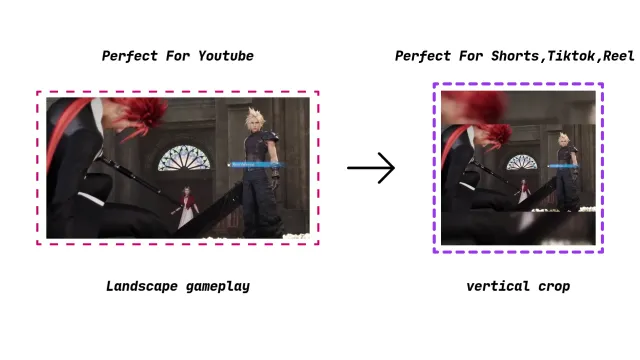
I started experimenting with a small Python script that converted my horizontal gameplay clips into a vertical layout. It placed the main footage in the center, added a blurred gaming-style background, and let me turn a logo on or off. The script was minimal, but it did exactly what I needed: it helped me repurpose clips without opening a full video editor every time.
Later, a friend asked me to prepare clips for his Family Guy page, and the same script was useful again. That made me think there must be other casual creators who need a simple tool for these repetitive jobs.
That prototype eventually became AspectShift-HtoV, now built in Rust and expanded with batch processing, automatic subtitles, logo placement, orientation and flip controls, and blur, white, or black backgrounds. The goal is still the same: make common video-formatting tasks straightforward without turning them into a full editing project.
What Can AspectShift-HtoV Do?
The app keeps the core workflow focused while covering the tasks creators commonly need:
- Convert horizontal videos to vertical formats for YouTube Shorts, TikTok, and Instagram Reels.
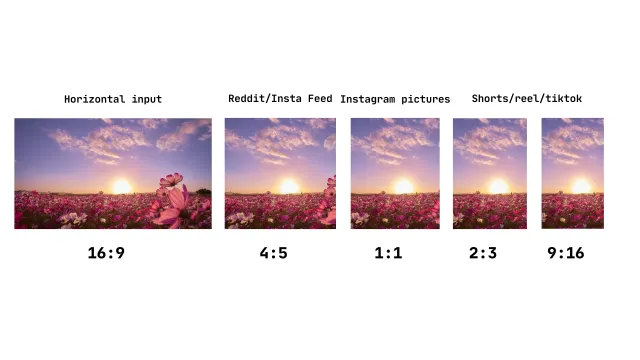
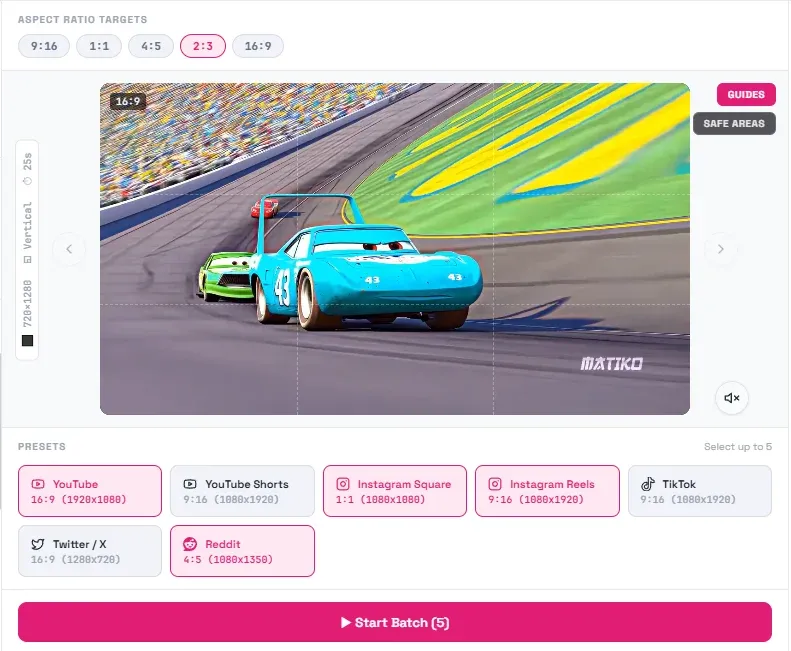
- Export common aspect ratios such as 16:9, 9:16, 1:1, 4:5, and 2:3.
- Process one video, several selected videos, or a folder in a batch.
- Generate subtitles automatically, customize their font style, color, transparency, and size, then export them with your videos as SRT files or burn them directly into the video.
- Add text overlays with customizable font styles, colors, transparency, and sizes.
- Add a blurred, white, or black background when the source does not fill the output frame.
- Add a logo when needed.
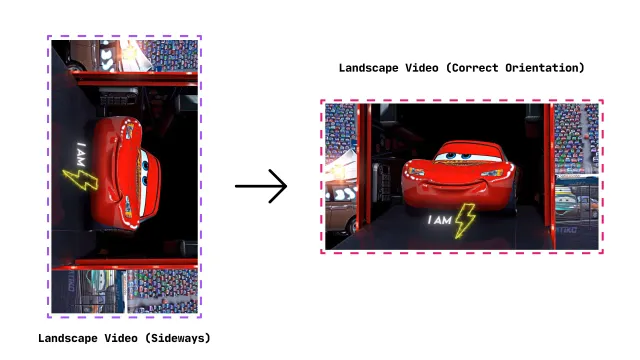
- Correct the orientation of a clip or flip it.
- Prepare multiple platform-ready outputs from the same source video.
For the available options, see pricing. A free Community Version is also available for download.
How It Works
The process is deliberately short:
- Import your video.
- Pick the output format or aspect ratio for the platform you want.
- Choose crop/reframe, subtitle, and background options.
- Export platform-ready videos.
The same flow works whether you are converting a single clip or preparing a batch, so you do not have to rebuild the setup for each file.
Who Is It For?
AspectShift-HtoV is intended for people who regularly repurpose clips but do not need a complex timeline editor for every export. That includes:
- YouTubers turning long-form footage into shorter formats.
- TikTok, Instagram Reels, and YouTube Shorts creators.
- Gaming clip creators.
- Streamers repurposing highlights.
- Small and independent creators.
- Anyone who wants straightforward video formatting without learning a full editor.
What Makes It Different?
The main difference is its scope. AspectShift-HtoV does not try to replace a full video editor. It focuses on repeatable conversion and formatting tasks, with the controls needed for that job in one place.
- A focused workflow: Choose the input, format, and presentation options without building a timeline.
- Approachable controls: Presets and clearly labeled options reduce the setup needed for common outputs.
- Repeatable processing: Apply the same choices across a group of clips instead of configuring each export separately.
- Multiple formats: Use one source video to prepare outputs for different platforms and aspect ratios.
Example Use Cases
Here are a few practical ways to use it:
- Turn horizontal gameplay clips into vertical Shorts with a blurred background and centered footage.
- Convert one YouTube video into formats suitable for Reels and TikToks.
- Batch prepare a folder of clips for posting with consistent output settings.
- Fix wrongly oriented footage before sharing or editing it elsewhere.
AspectShift-HtoV social media output formats
Final Thoughts
AspectShift-HtoV grew from a small script that solved my own repetitive editing problem. It is now a more complete desktop tool, but the purpose has not changed: help creators reframe and prepare videos without adding unnecessary complexity to the process, whether they need one-off edits or batch video conversion for a whole folder of clips.